How to Configure Exchange to Release Emails Blocked by Forcepoint DLP
Halil Yaşarsoy · 5 Aralık 2024
6
Exchange 2019 + Forcepoint DLP 10.2
Emails blocked by Forcepoint are often quarantined for further review. Forcepoint allows administrators to release these emails manually or via a “force release mailbox.” If you’re using Exchange Server 2019, this guide will integrate your email server to release quarantined emails.
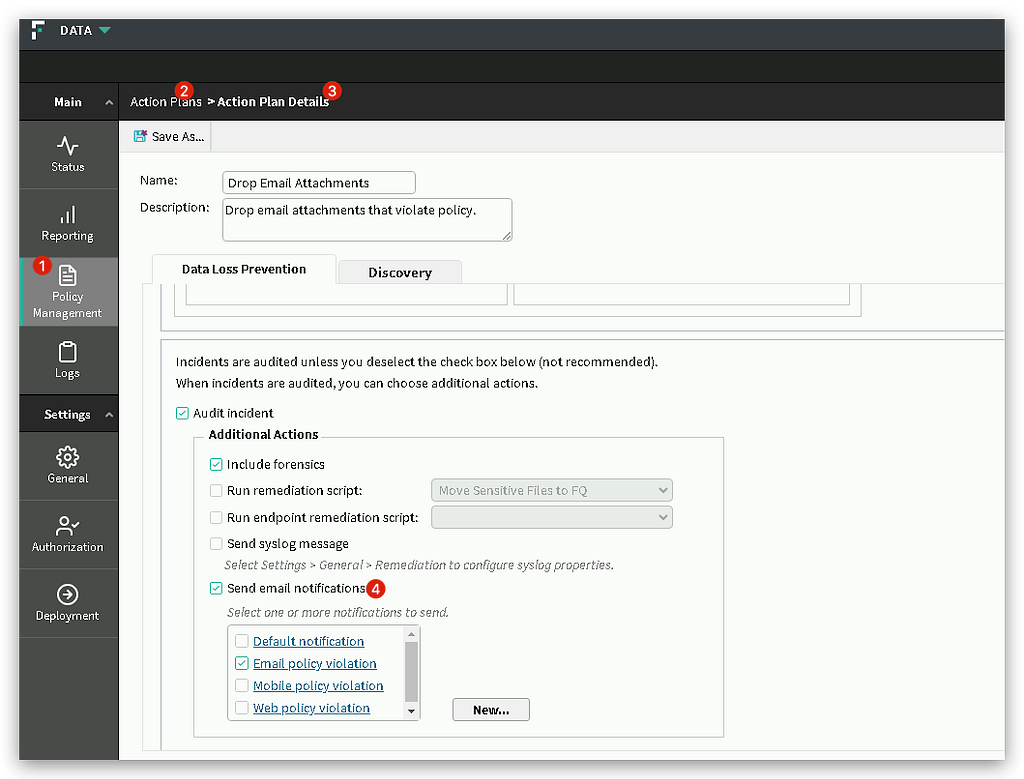
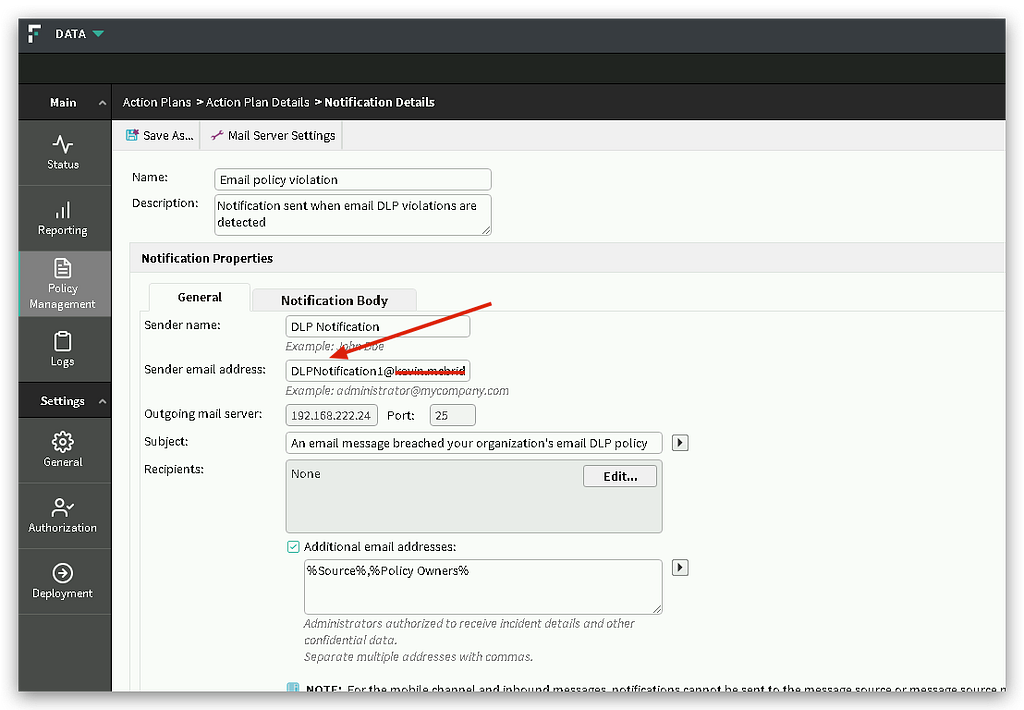
Step 1: Configure Forcepoint DLP Settings
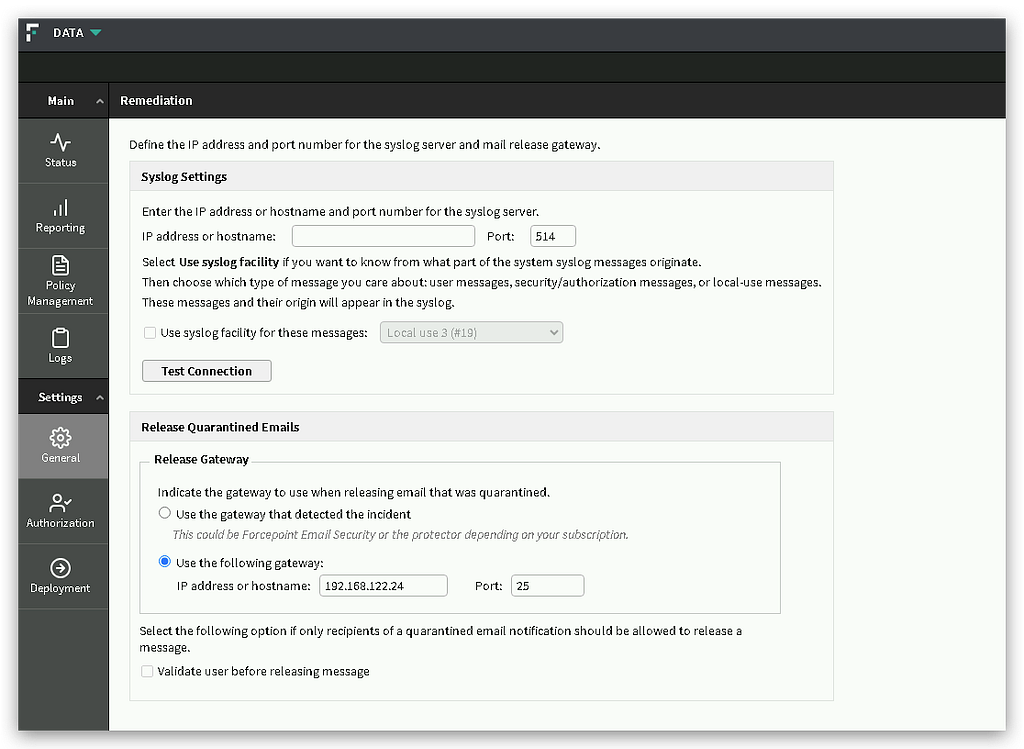
Step 2: Set Up Microsoft Exchange Server 2019
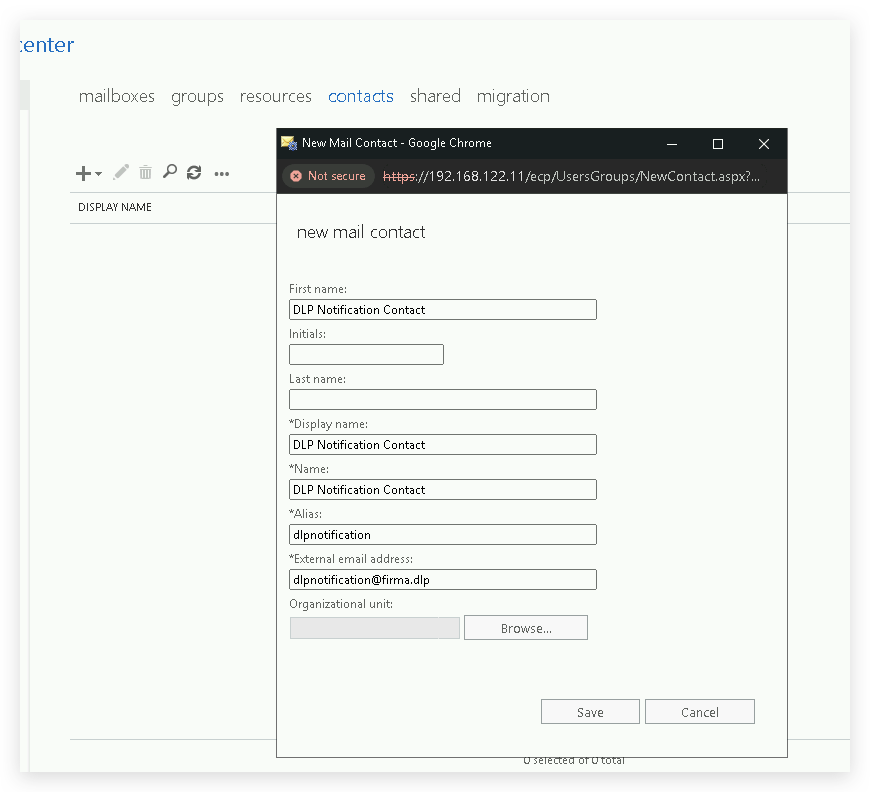
A. Create a Contact
Navigate to Recipients > Contacts. Click New ( + ) > Mail Contact.
Click Save.
B. Create a Mailbox for Notifications
This mailbox handles emails from Forcepoint.
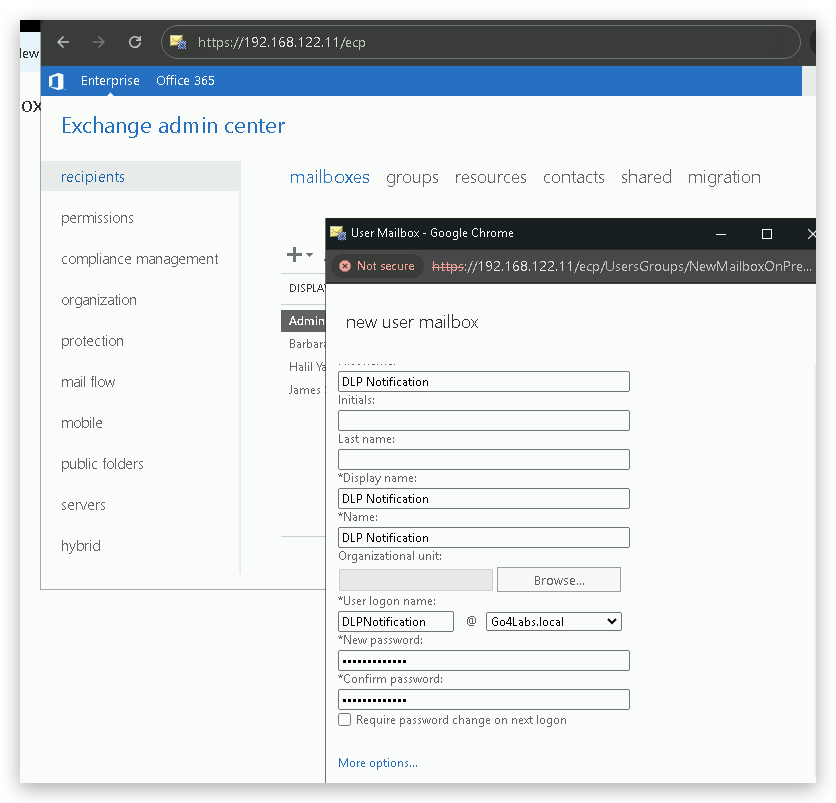
C. Configure Forwarding
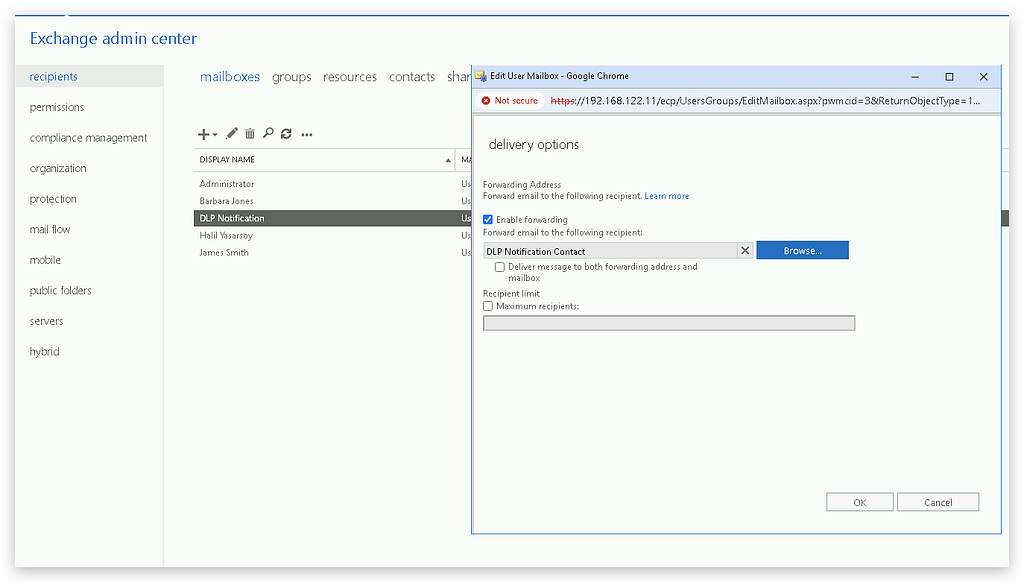
Bu yazı işine yaradıysa alkışla
6
Bu yazı ilk olarak Medium'da yayımlandı.